
リリース
Number of invitees automation condition
You can now run automations based on how many people are invited to a meeting. When setting up an automation, select Number of invitees as a condition and choose whether the count is, greater than, or less than a number you specify.
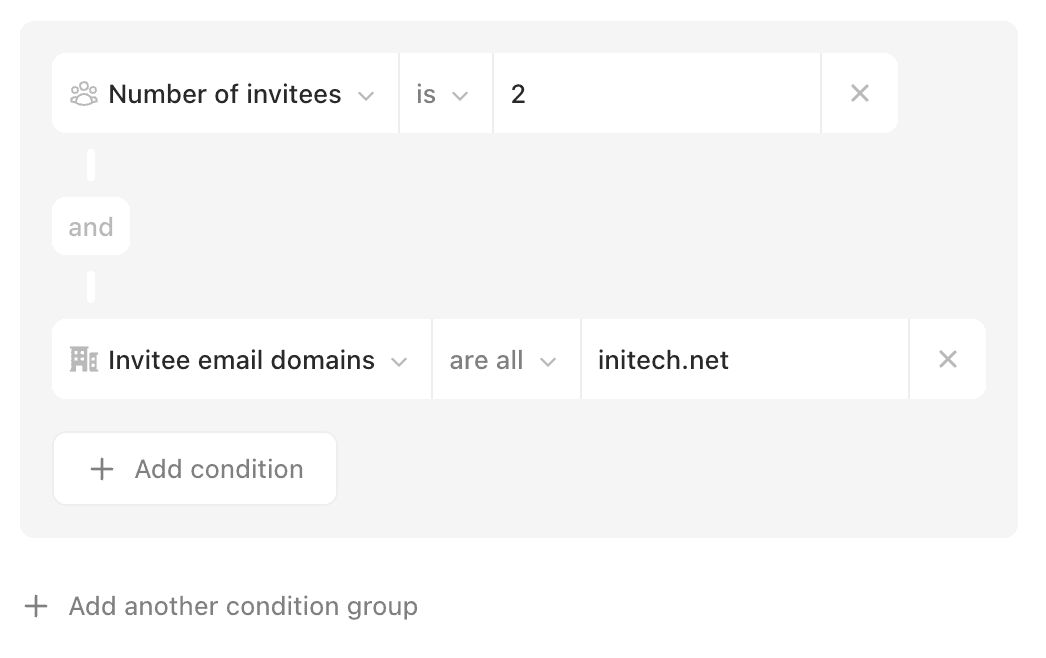
This makes it easy to target meetings by size without listing specific people. Combine this with existing conditions for even more control. For example, filter for exactly 2 invitees and your company's email domain to run an automation only on internal 1:1s.
リリース
Number of invitees automation condition
You can now run automations based on how many people are invited to a meeting. When setting up an automation, select Number of invitees as a condition and choose whether the count is, greater than, or less than a number you specify.
This makes it easy to target meetings by size without listing specific people. Combine this with existing conditions for even more control. For example, filter for exactly 2 invitees and your company's email domain to run an automation only on internal 1:1s.

リリース
Number of invitees automation condition
You can now run automations based on how many people are invited to a meeting. When setting up an automation, select Number of invitees as a condition and choose whether the count is, greater than, or less than a number you specify.
This makes it easy to target meetings by size without listing specific people. Combine this with existing conditions for even more control. For example, filter for exactly 2 invitees and your company's email domain to run an automation only on internal 1:1s.


