
Folders
Today we're releasing folders. A folder keeps related meetings together and shares them with the people you add. Put your customer calls in a Customers folder, add the sales team, and everyone on it sees every meeting in the folder, including the ones they weren't invited to.
Add meetings yourself by dragging them onto a folder in the sidebar, selecting Add to folder at the top of a meeting, or selecting several meetings at once. Or set up rules, and Circleback adds matching meetings as they finish.
Add meetings automatically
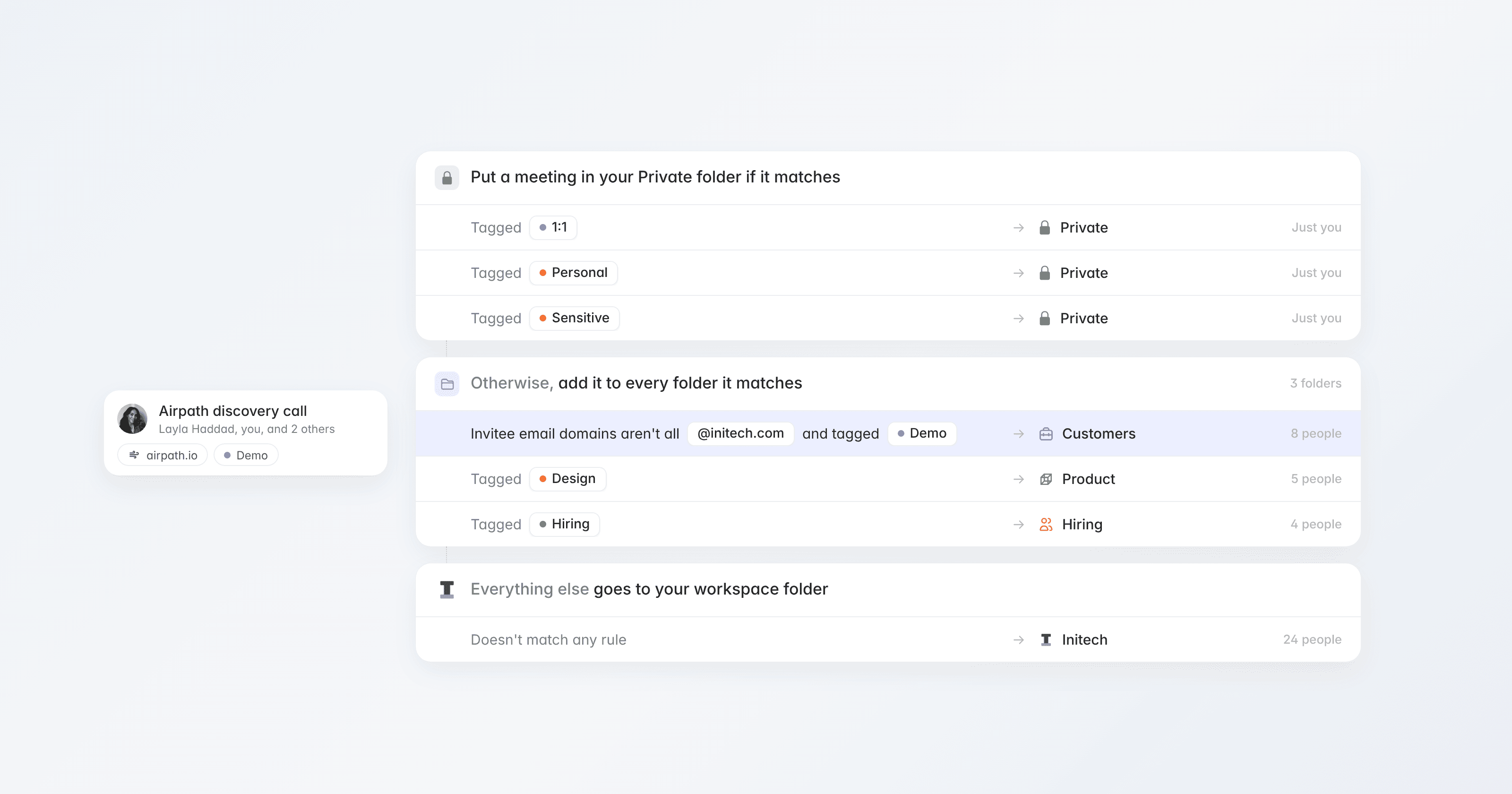
A folder's rules can add every meeting, or only meetings that match conditions like a tag, a word in the meeting name, or a participant's email domain. Choose whose meetings the rules add: everyone in the folder, or only specific people. From then on, new meetings that match show up in the folder as soon as they finish, and everyone in it can see them.
This replaces sharing through automations. If you had automations that shared meetings, they've become folders that share the same meetings with the same people.
Choose who sees what
Add people, teams, or your whole workspace, and choose their access. People outside your workspace can be added by email. A folder can be open to your workspace, so anyone can find it and ask to join, or hidden, so only the people in the folder and workspace admins can see it.
Keep some meetings private
Meetings that aren't in a folder stay in Private, where only you and the people you've shared them with can see them. Privacy rules keep matching meetings out of folders, whatever a folder's rules say. By default, meetings tagged 1:1, Personal, or Sensitive stay private. Workspace admins set the default rules for everyone, and each person can always add their own from Settings → Sharing.
Folders are also available in the Circleback API, MCP, and CLI, and you can ask Circleback to create a folder, share it, or add meetings to it.
Get started by selecting + next to Folders in the sidebar, or read more in the docs.