
Releases
Quick navigation
February 26, 2026
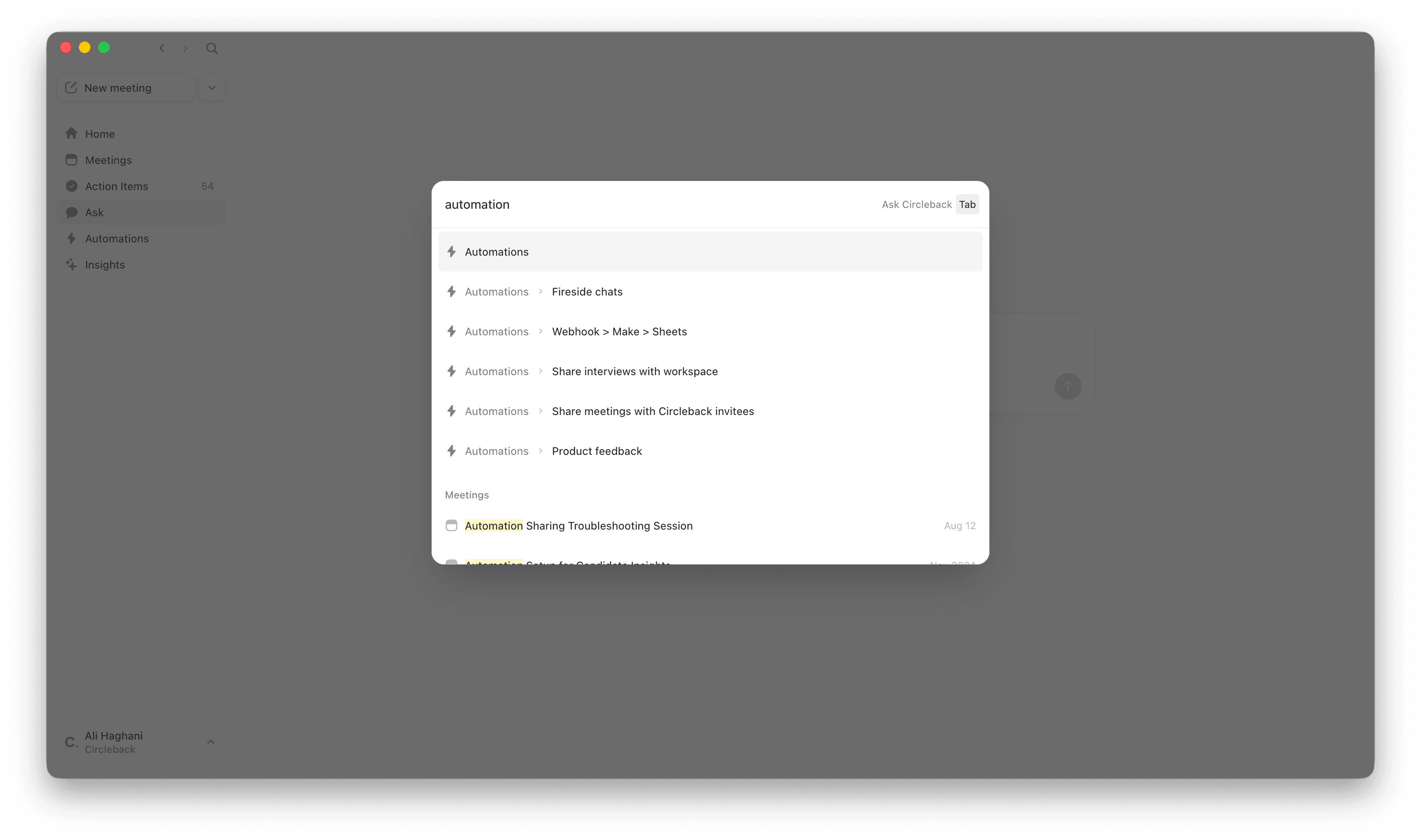
The search modal now doubles as a way to navigate anywhere in Circleback. Press ⌘K (Ctrl K on Windows), /, or tap the search icon to open it, then type where you want to go. Type "calendar," hit enter, and you're in your calendar settings. Type the name of an automation, an insight, or "new meeting" and go straight there. No clicking through menus.
Designed for people who'd rather type than click. Open search, type where you want to go, and navigate instantly.
Releases
Quick navigation
February 26, 2026
The search modal now doubles as a way to navigate anywhere in Circleback. Press ⌘K (Ctrl K on Windows), /, or tap the search icon to open it, then type where you want to go. Type "calendar," hit enter, and you're in your calendar settings. Type the name of an automation, an insight, or "new meeting" and go straight there. No clicking through menus.
Designed for people who'd rather type than click. Open search, type where you want to go, and navigate instantly.

Releases
Quick navigation
February 26, 2026
The search modal now doubles as a way to navigate anywhere in Circleback. Press ⌘K (Ctrl K on Windows), /, or tap the search icon to open it, then type where you want to go. Type "calendar," hit enter, and you're in your calendar settings. Type the name of an automation, an insight, or "new meeting" and go straight there. No clicking through menus.
Designed for people who'd rather type than click. Open search, type where you want to go, and navigate instantly.

Try it free for 7 days. Subscribe if you love it.

© 2026 Circleback AI, Inc. All rights reserved.

© 2026 Circleback AI, Inc. All rights reserved.

© 2026 Circleback AI, Inc. All rights reserved.


