ما الجديد

تعرّف على أحدث ميزات المنتج والتحسينات.

  • Jul 2, 2026

    Restore deleted meetings

    Deleting a meeting is no longer permanent. When you delete one, it now moves to Recently deleted. To find your deleted meetings, select your name in the bottom-left → Recently deleted. From there you can restore a meeting to bring it back, or delete it permanently. Meetings are kept for 30 days, then deleted permanently.

  • Jul 1, 2026

    Meeting activity graph

    You can now see your meeting activity over time as a graph in the usage dashboard. Each square is a day, and the more meetings you had, the darker it gets, so you can see a whole year of activity at a glance. It's an easy way to spot your patterns: which weeks were packed, and which ones had room to breathe.

    If you're a workspace admin, you can view the same graph for anyone on your team.

    Select your name in the bottom-left → Usage to see it.

  • Jun 29, 2026

    Apple Watch app

    Circleback is now on Apple Watch. Record an in-person meeting straight from your wrist, no phone required. Add the Circleback complication to your watch face and recording is always one tap away.

    When the meeting ends, you'll get notes, action items, and a transcript in Circleback, just like always.

    Update to the latest version of the iOS app to get started.

  • Jun 17, 2026

    Ignored apps for meeting detection

    You can now add apps that Circleback ignores when detecting meetings. When an app is ignored, you won't get a notification to start recording when it uses your microphone.

    Not all apps use your microphone for meetings. Adding those apps to your ignored list keeps recording notifications focused on what you want captured. Add and manage ignored apps from Settings → Notifications on the desktop app.

  • Jun 9, 2026

    Ask Circleback about Linear

    You can now ask Circleback about Linear and update it from the assistant. Ask Circleback to check if something from a meeting is already tracked, create issues for what's missing, or add context to existing ones.

    Get started by connecting Linear from Settings → Connected accounts and asking Circleback something like:

    • Are the requests from this meeting already in Linear?
    • Create a Linear issue for the bug they reported
    • Add context from this meeting to the onboarding issue

  • May 31, 2026

    Access recordings from MCP and CLI

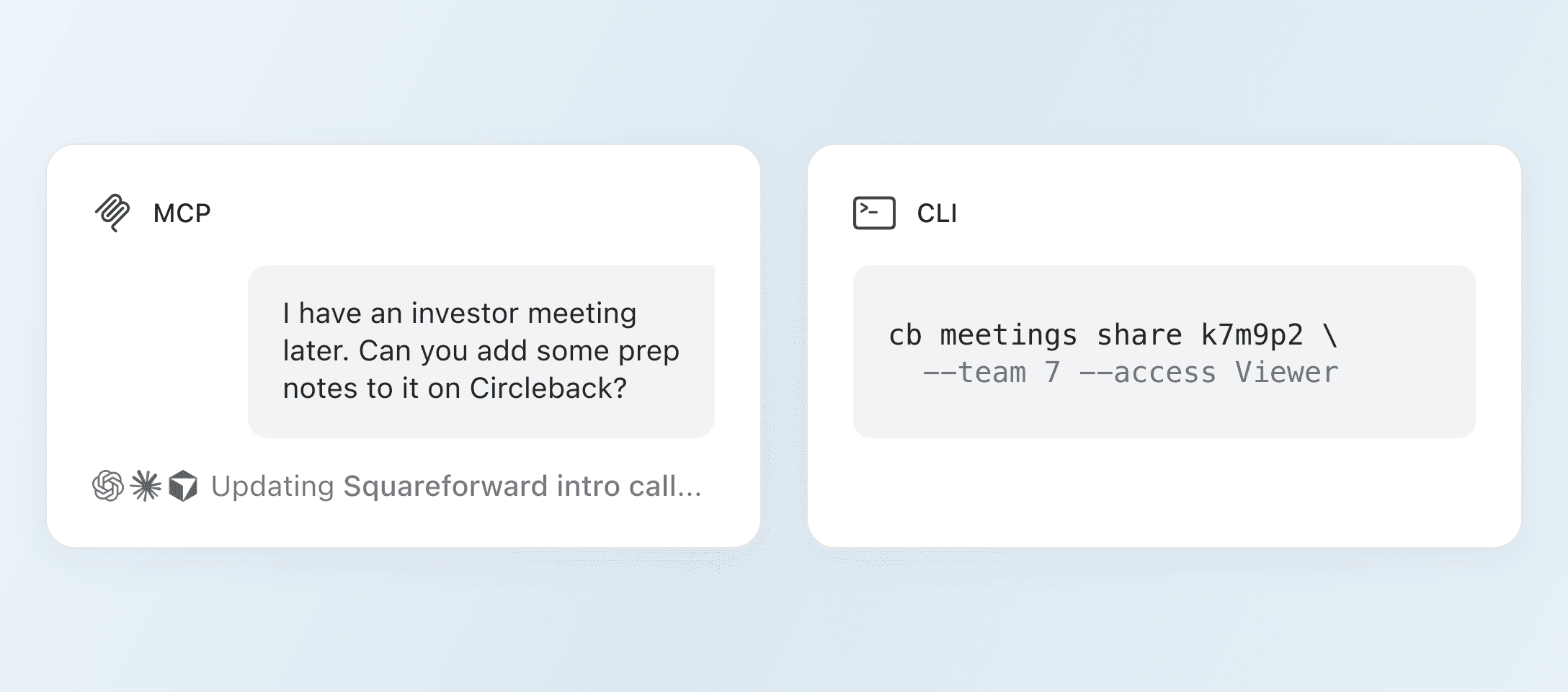
    You can now access meeting recordings through the Circleback MCP and CLI. When you read a meeting, Circleback includes a link you can use to download its recording.

    Run circleback meetings read to see the recording link in your terminal, or ask Claude, ChatGPT, or any AI agent connected to Circleback to pull a recording from a recent call.

  • May 29, 2026

    Add multiple domains to your workspace

    A workspace can now have more than one domain. If your company uses several email domains, you can add all of them, so anyone with an email from any of those domains can join your workspace, or be added automatically when they sign up.

    Admins can add a domain from Settings → General. Select + next to Domains and enter the new one.

  • May 29, 2026

    Always-visible record panel

    You'll now see a minimal panel the whole time you're recording on desktop, so you always know when Circleback is capturing your meeting. It stays out of the way, and expands to show the recording controls when you hover over it. Drag it anywhere on your screen and it snaps neatly into place. Click the Circleback icon to open a note-taking window where you can jot down thoughts during the meeting.

  • May 28, 2026

    Notes capture what's shared on screen

    Circleback now captures details from what's shared on screen during your meetings. If someone shares slides, a dashboard, a timeline, or a doc, the important details make it into your notes alongside the conversation.

    What's shared is also searchable and available to the assistant, and any AI agents you connect to Circleback. A metric from a dashboard, pricing shown on a slide, and a milestone date from a doc are all reachable, even when no one said the words out loud.

    Every important detail from your meetings is now captured, whether said or shown.

  • May 25, 2026

    Search transcripts in context

    You can now search a meeting transcript and see every result highlighted alongside the surrounding conversation. Use Enter and Shift Enter to move between results, or click the up and down buttons.

    The counter shows where you are in the results, and you can search by speaker name as well as words in the transcript.

  • May 19, 2026

    Filter action items by company

    You can now filter action items by company. On the action items page, select Filter → Companies to see only action items from meetings with the companies you choose. Combine this with other filters to narrow further.

    This makes it easy to track every open task for an account in one place, no matter which meeting it came from.

  • Apr 30, 2026

    People and companies

    Every person and company you meet with now has a dedicated space in Circleback. Open it to see pending action items, recent meetings and emails, and upcoming calendar events. If you've connected a tool like Attio, HubSpot, Salesforce, Zoho, or Linear, you can also jump straight to their matching record there.

    Catching up on someone used to mean bouncing between your calendar, your inbox, and your meetings. Now you get the complete picture in one place.

    You can also ask Circleback questions about a person or company directly from their space. It'll answer using everything it knows about them.

    Find them under Spaces in the navigation sidebar, from search, or by selecting a person or company name in any meeting. More is coming to these spaces soon.

جرّبه مجانًا. اشترك إذا أعجبك.